

Quick Summary✔ A warehouse management system controls inventory movement from receiving through shipping with real-time visibility. ✔ WMS in warehousing improves accuracy and execution by tracking inventory and directing daily tasks. ✔ Core WMS workflows help increase efficiency across receiving, picking, shipping, and labor management. ✔ Key WMS features support scalable, data-driven warehouse operations. ✔ Inventory errors, limited visibility, and scaling challenges often signal the need for a WMS |
Inside This Guide
A warehouse management system is software that controls and coordinates how inventory moves through a warehouse, from the moment goods arrive to the moment they ship. It provides real-time visibility, directs daily tasks, and helps businesses maintain accuracy and efficiency as warehouse operations grow more complex. As order volumes increase and fulfillment timelines tighten, a WMS becomes essential for keeping inventory organized, labor productive, and workflows consistent.
Here are key things to know about the warehouse management system.
What Is WMS in Warehousing?
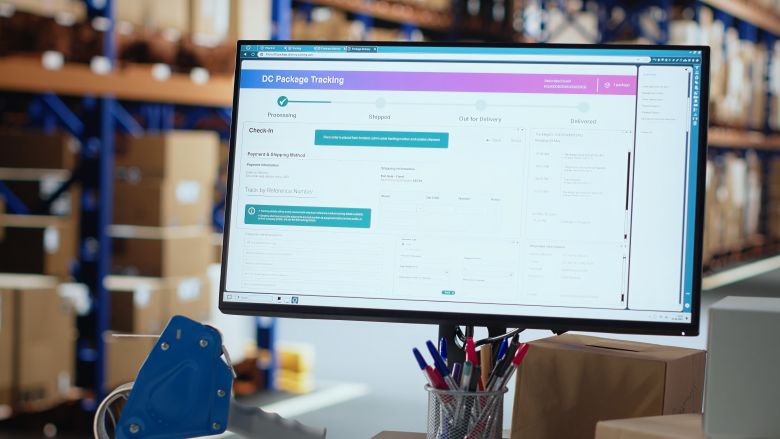
WMS in warehousing refers to how the software functions inside active warehouse environments. A WMS manages inventory and labor at an operational level by continuously monitoring stock and task execution.
In practical terms, a WMS:
- Tracks inventory by location, quantity, and status in real time
- Assigns and prioritizes warehouse tasks for workers
- Optimizes movement paths to reduce travel time
- Improves order accuracy and fulfillment speed
In modern warehousing, a WMS also connects physical operations to digital systems such as ERP platforms, ecommerce storefronts, and transportation management systems.
What Is Voice Directed Warehousing?
Voice-directed warehousing uses voice recognition to guide warehouse workers through tasks with spoken prompts instead of paper lists or constant screen checks. When connected to a WMS, it gives real-time, hands-free instructions and verbal confirmations for work like picking, packing, and sorting.
The growing demand for faster, more efficient warehouse operations, driven largely by ecommerce, has increased the adoption of voice-directed solutions. This is because they help improve task speed and accuracy while reducing reliance on manual processes.
How a Warehouse Management System Works
A WMS manages the full lifecycle of inventory within a warehouse using structured, automated workflows.
Receiving and Putaway
Inbound inventory is scanned and verified against POs/ASNs, and discrepancies are flagged before stock is stored. The WMS then assigns the best putaway location based on item size, demand, turnover, and any handling rules (like lot/expiration). This reduces aisle congestion and makes future picking faster.
Inventory Tracking and Control
Stock levels and locations update in real time as items move, are picked, or are counted. A WMS also tracks inventory status, such as available, allocated, or on hold, so teams don’t ship what they don’t have.
Picking and Packing
The system creates pick paths and tasks to reduce walking and prevent mis-picks, often using scan verification. It can prioritize orders by ship-by time and support methods like batch or zone picking. At packing, it confirms item quantities, guides packaging steps, and prints documents and labels to reduce errors.
Shipping and Outbound Logistics
Orders are validated before leaving the dock, and shipping labels and paperwork are handled centrally. The WMS can organize shipments by carrier cutoff times or routes and pass tracking details to connected systems.
Labor Management
Tasks are assigned based on priority and workload, so labor is balanced across departments. Performance data shows where time is going and where bottlenecks exist.
10 Key Features of Warehouse Management Systems
1. Inventory Management
A WMS should track inventory levels, status, and location in real time while logging every movement from receiving to shipping. It typically supports SKU controls, serial or batch attributes, barcode scanning, FIFO/FEFO allocation, movement history, and stock counting.

2. Warehouse Location Management
A WMS should map your warehouse layout using unique location IDs and location types such as pick, bulk, staging, or controlled storage. Location scanning supports accuracy, while visibility tools and access controls help manage space, traffic, and security.
3. Goods-In Processes
Inbound features should improve visibility into upcoming deliveries and speed up receiving. Common capabilities include ASN support, delivery scheduling, staged receiving, putaway guidance, and space-optimizing location suggestions.
4. Order Management
A WMS centralizes orders from multiple sources and tracks them from receipt to dispatch. Useful functions include backorder handling, status automation, change logs, tracking, and reporting to support faster, more accurate fulfillment.
5. Shipping Management
Shipping tools help automate service selection, label creation, documentation, and tracking updates through carrier integrations. Reporting helps teams monitor outbound accuracy and exceptions.
6. Order Picking and Packing
A WMS supports multiple pick methods, scan verification, and efficient walk paths. Packing tools often include double checks, document generation, and exception handling for missing or damaged items.
7. Returns Management
Returns features support processing against an order or as a blind return, with reason codes and inspection steps. The system helps route items to restock, hold, or scrap and provides reporting for trend tracking.
8. Integrations
Most WMS platforms integrate with ecommerce, ERP, finance, CRM, and carrier systems. Prebuilt connectors and open APIs help keep data aligned, while error reporting helps catch failed syncs.
9. Mobile Functionality
Mobile access supports scanning and task completion on handhelds or tablets for receiving, picking, moves, and returns. Some systems also include basic protections for connectivity dropouts.
10. Reporting and Analytics
Reporting should cover real-time operational metrics and longer-term trends. Many systems support custom reports, scheduling, KPI tracking, and forecasting based on historical warehouse data.

Warehouse Management Software Benefits for Businesses
A WMS can improve operational efficiency and help warehouses process more orders with better consistency. Other benefits include:
Operational Benefits
- Reduced manual errors through automated workflows.
- Faster order fulfillment using optimized pick paths.
- Better use of warehouse space through intelligent slotting.
Financial Benefits
- Lower labor costs due to improved productivity.
- Reduced inventory carrying costs through accurate stock levels.
- Improved return on investment as operations scale.
Customer Experience Benefits
- Faster shipping times and fewer order errors.
- Reliable fulfillment across sales channels.
- Higher customer satisfaction and retention rates.
Signs You Need a WMS for Modern Warehousing Services
As warehouse operations grow more complex, certain challenges signal that manual processes or basic systems are no longer enough. These issues often affect accuracy, speed, and customer satisfaction.
- Frequent inventory discrepancies or stockouts that are difficult to trace.
- Increasing order errors or shipping delays as volume grows.
- Limited visibility into real-time inventory levels and order status.
- Labor inefficiencies caused by manual task assignment or rework.
- Difficulty scaling operations without rising costs, limiting access to key warehouse management software benefits such as automation, accuracy, and productivity gains
How to Implement a Warehouse Management System: Step-by-Step
Implementing a warehouse management system requires a clear plan to ensure smooth adoption and long-term effectiveness.
- Assess your warehouse needs
- Define key operational goals
- Choose the right WMS software
- Integrate with existing systems
- Train staff and test workflows
- Monitor performance and optimize
Frequently Asked Questions
Does a WMS replace other business systems?
A WMS usually supports other systems rather than replacing them. It focuses on warehouse execution while ERP or accounting tools handle broader business functions. When integrated, data stays aligned without duplicating work.
How long does it take to see results from a WMS?
Some improvements show up soon after core workflows go live. Inventory visibility and task control are often the first gains. Bigger efficiency gains usually build as teams fully adopt the system.
Is a WMS customizable for different workflows?
Most WMS platforms can be configured to match different layouts and processes. This can include storage rules, picking methods, and task priorities. The goal is better control without forcing major disruption.
What industries commonly rely on WMS technology?
WMS platforms are common in ecommerce, retail, manufacturing, and distribution. Any operation that handles frequent inventory movement can use a WMS. The specifics vary, but the purpose is consistent control.
What industries commonly rely on WMS technology?
WMS platforms are common in ecommerce, retail, manufacturing, and distribution. Any operation that handles frequent inventory movement can use a WMS. The specifics vary, but the purpose is consistent control.
Improve Warehouse Operations in New York, NY, With Warehousing NYC By Best
Warehousing NYC by Best provides warehousing and warehouse management services built for businesses. We help businesses maintain organized operations and consistent performance as order volumes shift and fulfillment requirements change. For businesses seeking dependable warehouse support in New York, NY, we help improve inventory control, fulfillment accuracy, and day-to-day efficiency.